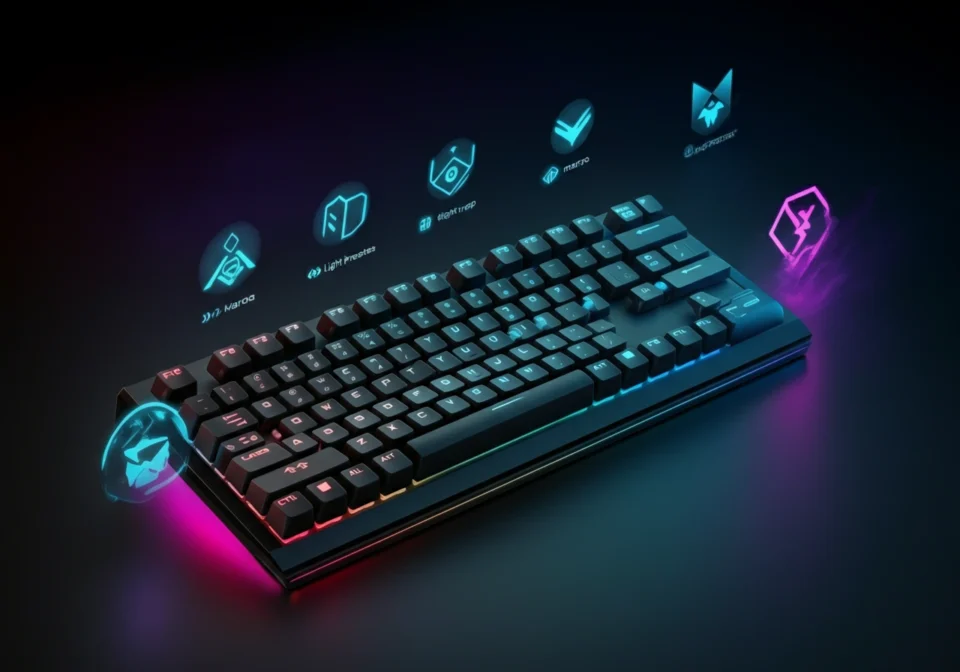
If you’ve recently purchased an Aula F75 keyboard, you’re probably eager to unlock its full potential. Aula F75 software is the key to transforming your typing experience, giving you complete control over RGB lighting, macros, key remapping, and performance settings. This mechanical keyboard stands out in the gaming and productivity space, but without the right software configuration, you might be missing out on features that could enhance your workflow or gaming sessions.
Whether you’re a gamer looking to set up complex macros, a creative professional seeking workflow shortcuts, or simply someone who wants their keyboard to match their aesthetic, understanding how to use Aula F75 software will help you get the most from your investment. This guide walks you through everything you need to know about the software, from installation to advanced customization.
What is Aula F75 Software?
Aula F75 software is the companion application designed specifically for the Aula F75 mechanical keyboard. This desktop program allows users to customize virtually every aspect of their keyboard’s functionality and appearance. Unlike basic keyboards that offer limited customization, the F75 software provides granular control over individual keys, lighting zones, and performance parameters.
The software acts as a bridge between you and your keyboard’s onboard memory, letting you create and save multiple profiles for different use cases. You can have one profile optimized for gaming with specific macros and lighting effects, another for office work with productivity shortcuts, and yet another for creative applications with application-specific key bindings.
What makes this software particularly valuable is its ability to store settings directly on the keyboard’s internal memory. This means once you’ve configured your perfect setup, those settings travel with your keyboard—even when you plug it into a different computer.
Key Features of Aula F75 Software
Comprehensive RGB Lighting Control
The lighting customization capabilities are among the most impressive features. You can choose from numerous pre-built lighting effects including wave, ripple, breathing, and reactive modes. Beyond these presets, the software allows you to create custom lighting patterns by selecting individual key colors and creating your own effects.
The per-key RGB customization means you can highlight specific keys for games or applications. For instance, you might illuminate WASD keys in one color for movement, ability keys in another, and leave the rest dim to reduce distraction during intense gaming sessions.
Macro Programming
Macro functionality transforms repetitive tasks into single keystrokes. The software includes an intuitive macro recorder that captures your keyboard and mouse inputs, letting you replay complex sequences with one button press. You can insert delays between actions, create loops, and even set conditions for macro execution.
This feature proves invaluable for gamers executing combo moves, content creators running repetitive editing tasks, or professionals who frequently use complex software shortcuts.
Key Remapping
Full key remapping gives you the freedom to reassign any key to perform a different function. Swap Caps Lock with Control for easier shortcut access, or reprogram rarely-used keys to perform frequent actions. The software supports remapping to standard keys, multimedia controls, or custom macros.
Profile Management
The multi-profile system allows you to create distinct configurations for different scenarios. Each profile can contain unique lighting schemes, key assignments, and macro sets. You can switch between profiles manually through the software or set up automatic switching based on which application is active.
Performance Adjustments
Advanced users will appreciate the ability to fine-tune polling rate and response time. The software lets you adjust how frequently the keyboard communicates with your computer, with higher rates reducing input lag—critical for competitive gaming.
Benefits of Using Aula F75 Software
Increased Efficiency
Custom macros and key remapping dramatically reduce the time spent on repetitive tasks. What once required multiple keystrokes or navigating through menus becomes a single button press. Content creators can set up macros for common editing functions, while programmers can create shortcuts for code snippets they use frequently.
Improved Accuracy
By eliminating the need for complex key combinations or rapid inputs, macros reduce the chance of errors. This consistency proves especially valuable in professional settings where mistakes can be costly or in competitive gaming where precision matters.
Enhanced Personalization
The software transforms your keyboard from a generic input device into a personalized tool that reflects your preferences and workflow. RGB lighting isn’t just about aesthetics—it can serve functional purposes by providing visual cues for different modes or highlighting important keys.
Cost Savings Through Versatility
Rather than purchasing multiple specialized keyboards for different purposes, one Aula F75 with properly configured profiles can serve numerous roles. This versatility makes it a cost-effective solution for users who need flexibility without maintaining multiple peripherals.
How to Use Aula F75 Software
Installation
Start by downloading the official Aula F75 software from the manufacturer’s website. Avoid third-party download sites to ensure you’re getting the legitimate, malware-free version. After downloading, run the installer and follow the on-screen prompts. Connect your Aula F75 keyboard via USB before launching the software for the first time.
Basic Configuration
Upon opening the software, you’ll see a visual representation of your keyboard layout. Click any key to access its settings. From here, you can:
- Change the key’s function by selecting from dropdown menus
- Assign RGB colors by clicking the color picker
- Create macros by selecting the macro tab and recording your inputs
- Adjust lighting effects by navigating to the lighting section
Creating Macros
Navigate to the macro section and click “New Macro.” Give it a descriptive name, then hit the record button. Perform the sequence of actions you want to automate, including any delays between actions. Once finished, click stop and assign this macro to any key on your keyboard.
Saving and Switching Profiles
After configuring your settings, save your profile by clicking the save icon and giving it a meaningful name. Create additional profiles by clicking “New Profile” and repeating the customization process. Switch between profiles using the profile dropdown menu or assign profile-switching functions to specific keys.
Aula F75 Software Pricing
The Aula F75 software comes completely free with your keyboard purchase. There are no subscription fees, hidden costs, or premium tiers—all features are available to every user at no additional charge. This represents significant value compared to some competing keyboards that lock advanced features behind paywalls or require ongoing subscriptions.
Updates to the software are also provided free of charge, ensuring you continue to receive improvements, bug fixes, and new features as they become available.
Aula F75 Software Alternatives
While the official Aula F75 software provides comprehensive functionality, some users explore alternative keyboard customization tools. Options like QMK firmware (for compatible keyboards) offer deeper programming capabilities, while universal tools like AutoHotkey can extend macro functionality beyond what keyboard software alone provides.
However, these alternatives typically require more technical knowledge and may not provide the same seamless integration with your keyboard’s hardware features, particularly RGB lighting. For most users, the official software strikes the best balance between power and accessibility.
Unlock Your Keyboard’s Full Potential
The Aula F75 software transforms a capable mechanical keyboard into a truly personalized productivity and gaming powerhouse. By taking time to explore its features and configure settings that match your needs, you’ll discover new levels of efficiency and enjoyment in your daily computer use.
Don’t let your keyboard’s potential go untapped. Download the Aula F75 software today and start experimenting with different configurations. Begin with simple customizations like RGB lighting, then gradually explore more advanced features like macros and profile switching as you become comfortable with the interface. Your perfect keyboard setup is just a few clicks away.
